
Contexo for VS Code, Cursor and Windsurf
Your project's .contexo/ knowledge base, inside the editor.
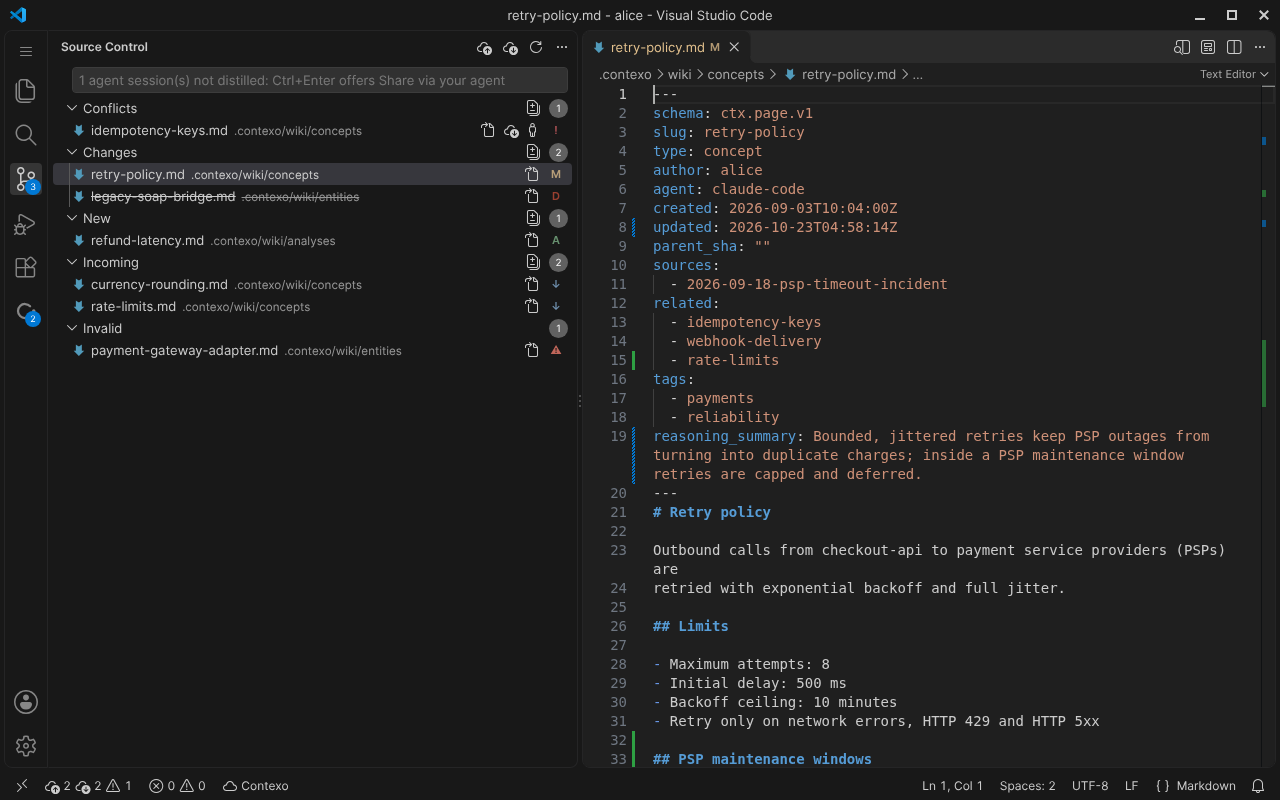
Changed, new, incoming and conflicting pages show up in the Source
Control view, and you push, pull and resolve conflicts without leaving
the editor.
Everything goes through ctx, the same CLI your agents use,
so the editor, the terminal and your agents always agree on each
page's state.
Cursor, Windsurf and VSCodium install from Open VSX (Cursor can lag behind by hours to days).
The VS Code Marketplace listing is pending Microsoft's review. Until then, VS Code users can download contexo-0.2.0.vsix from the v0.2.0 release on GitHub and run Extensions: Install from VSIX….
Or install it from the terminal.
Each editor's command line installs the extension by its id,
contexo.contexo.
Before you install.
-
ctx 0.7.0 or later. The extension runs ctx for every read and write. Install it with:
macOS / Linux $ curl -fsSL https://raw.githubusercontent.com/sugihAF/Contexo/main/scripts/install.sh | shWindows > iwr -useb https://raw.githubusercontent.com/sugihAF/Contexo/main/scripts/install.ps1 | iexAlready have ctx? Run
ctx update. Then, in your project folder, runctx initandctx auth login. -
ctx on this machine. The extension finds ctx on your
PATH, and also in~/.local/binor%LOCALAPPDATA%\Programs\contexo(where the install scripts put it) when it is not onPATH. -
Remote-SSH, WSL, Dev Containers. Contexo runs where your files are, so install ctx on the remote machine and log in with
ctx auth login --no-browser: ctx prints a link, and you paste the token back. -
A trusted workspace. The workspace must be trusted: Contexo is disabled in Restricted Mode, because it runs ctx with your credentials. Trust the folder to use it.
-
VS Code 1.100 or later, or an editor built on it that installs from Open VSX, such as Cursor or Windsurf.
Your knowledge base, in the editor.
What you get.
-
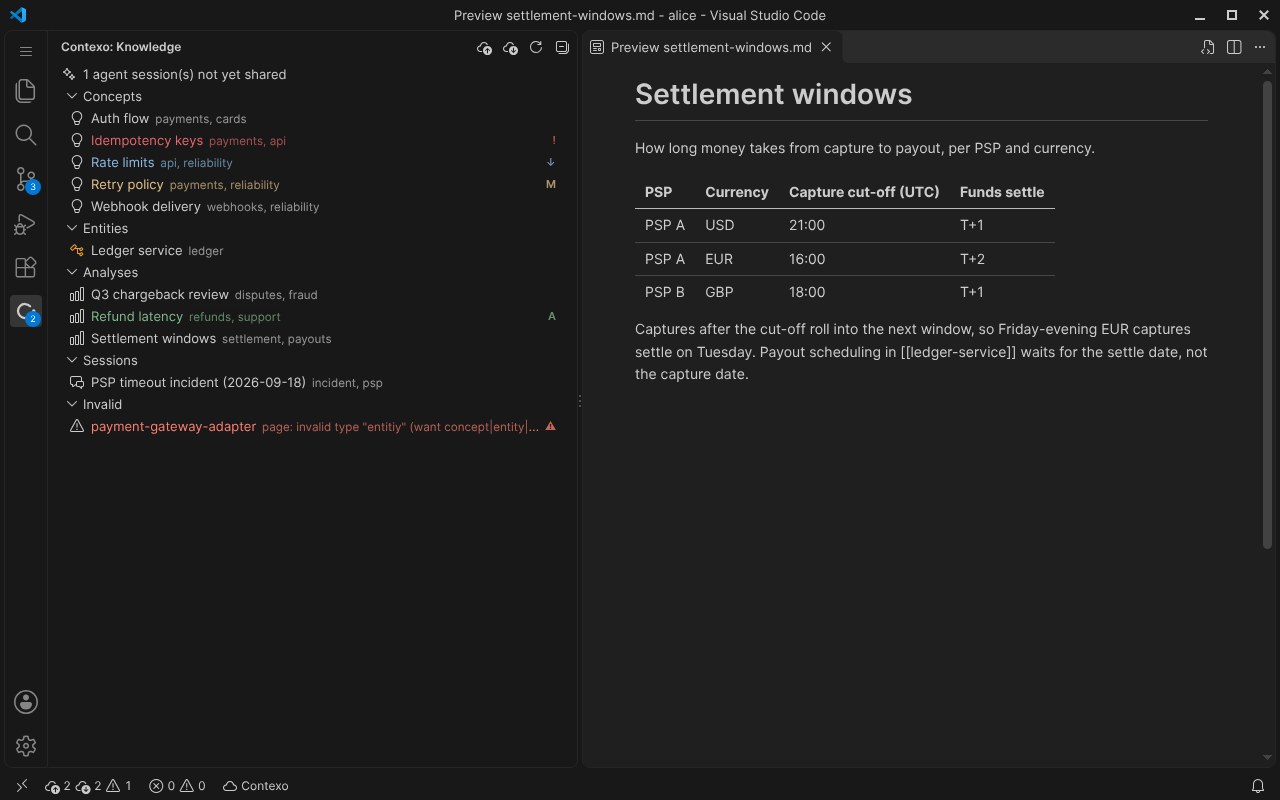
Knowledge tree by type
Concepts, Entities, Analyses and Sessions in their own groups, with files ctx cannot read under an Invalid node and the count of pending agent sessions at the top.
-
Source Control groups
Conflicts, Changes, New, Incoming and Invalid, each computed by ctx from your file, the last synced version and the server.
-
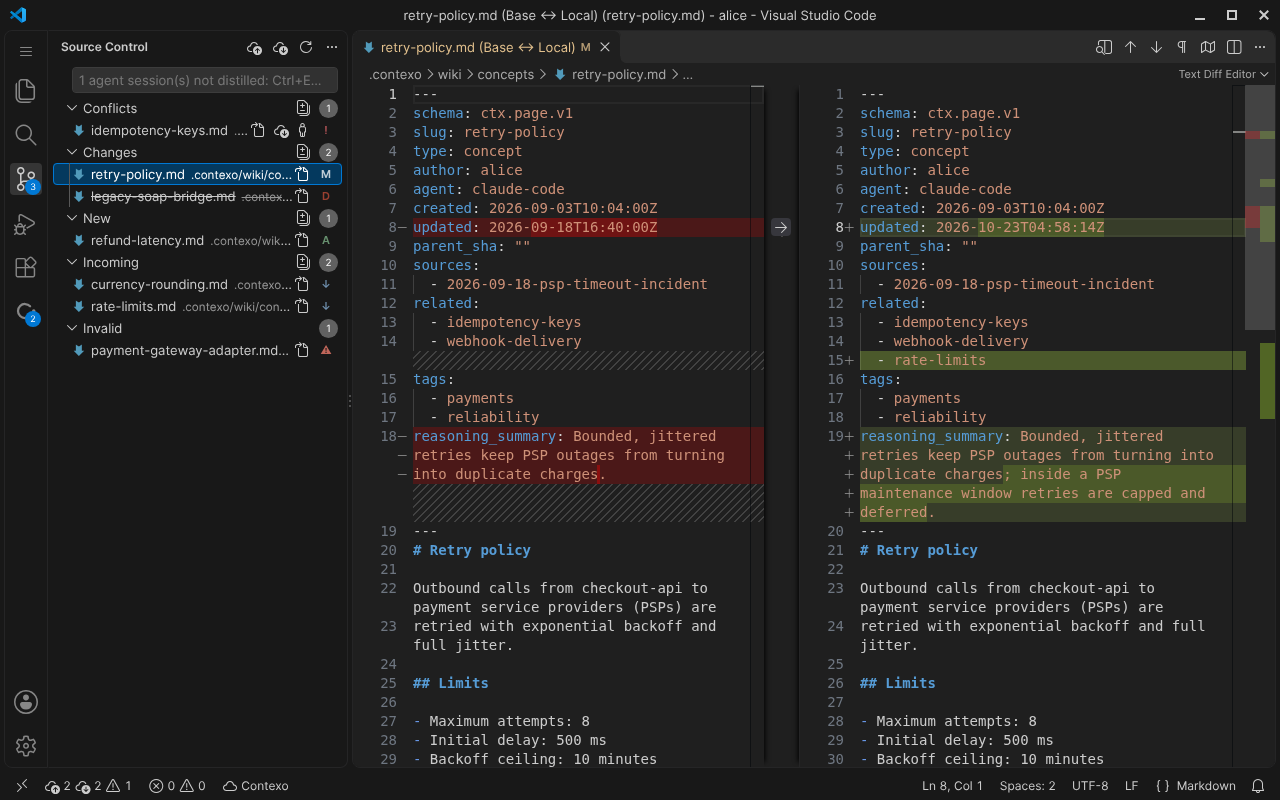
Click-to-diff
Click a page to open its diff. The gutter quick diff marks the lines you changed since the last synced version, and Explorer decorations badge every page with its state.
-
Status bar
Pages ahead of and behind the server at a glance, plus your sign-in state.
-
Push from Source Control
Type an optional message in the Source Control box and press Cmd+Enter or Ctrl+Enter to push your changed pages.
-
Safe pull
Pull brings in incoming pages and never overwrites local edits. It tells you which of your edits it kept.
-
Conflict resolution
Keep Mine, or Take Server Version after a confirmation, with a backup of your copy kept by ctx.
Works with your agent.
Your agents use the same knowledge base over MCP, through the MCP server built into ctx, and the extension shows the same page states they see.
When agent sessions are pending and not yet distilled, Push turns into Share via your agent: it copies a prompt that has your agent push the pages through its Contexo MCP server, which distills the pending sessions first, so the decision record is kept.
The extension never reads your token or credentials. It runs ctx, which talks to your Contexo server, and it adds no telemetry.
The full guide.
The first run, how the extension finds ctx, remote windows and troubleshooting, step by step.